
Open source Self-hosted on your VPS

More control over your applications.
Less infrastructure to manage.

A lightweight application deployment control plane for your VPS. Deploy, manage, and operate Docker Compose applications on a single server, without building an entire cloud platform around them.

Free and open source Plain Docker Compose Your server, your data
deploy.northwind.dev
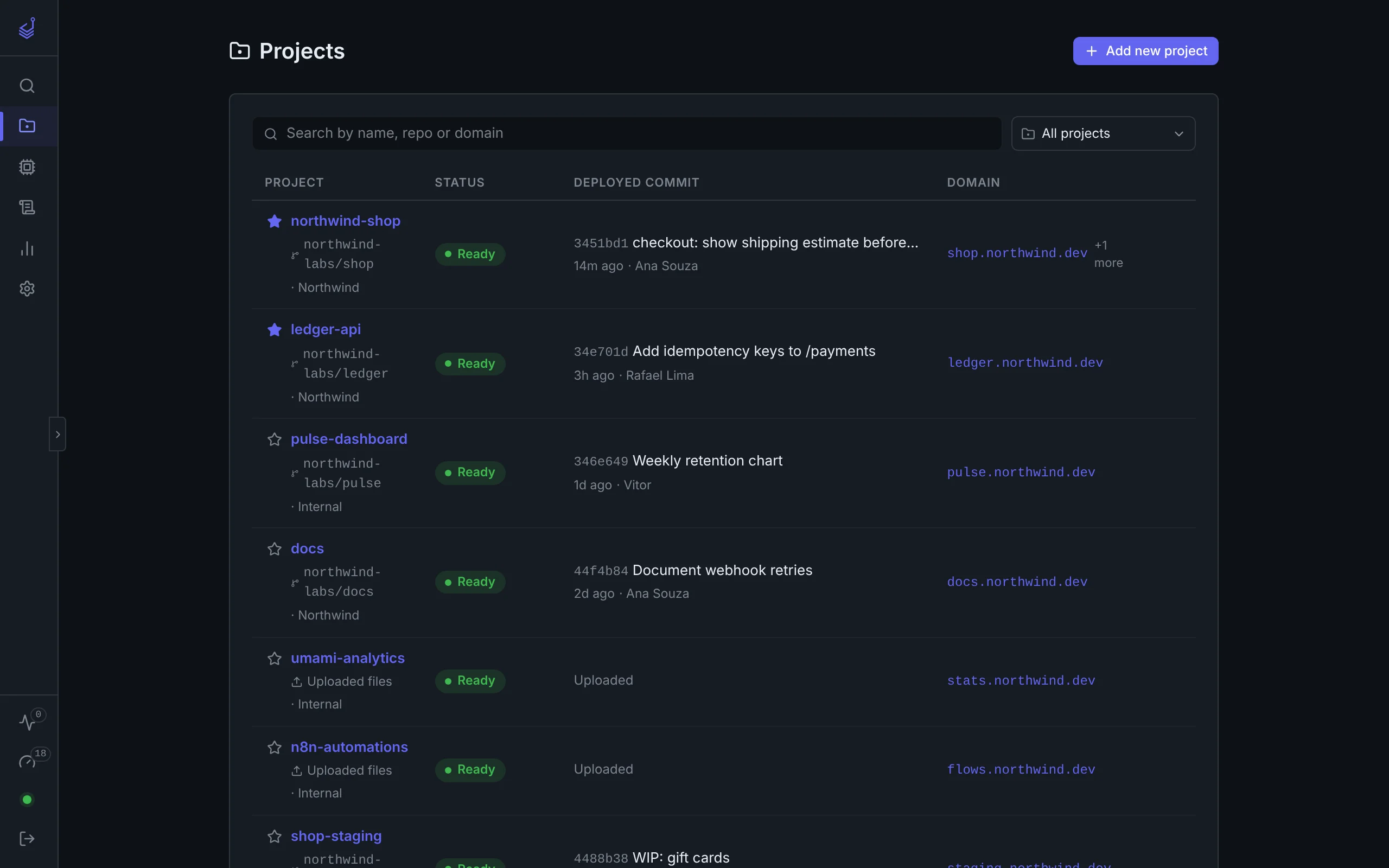
Stackport projects list with eight apps, their deployed commits, status, and domains
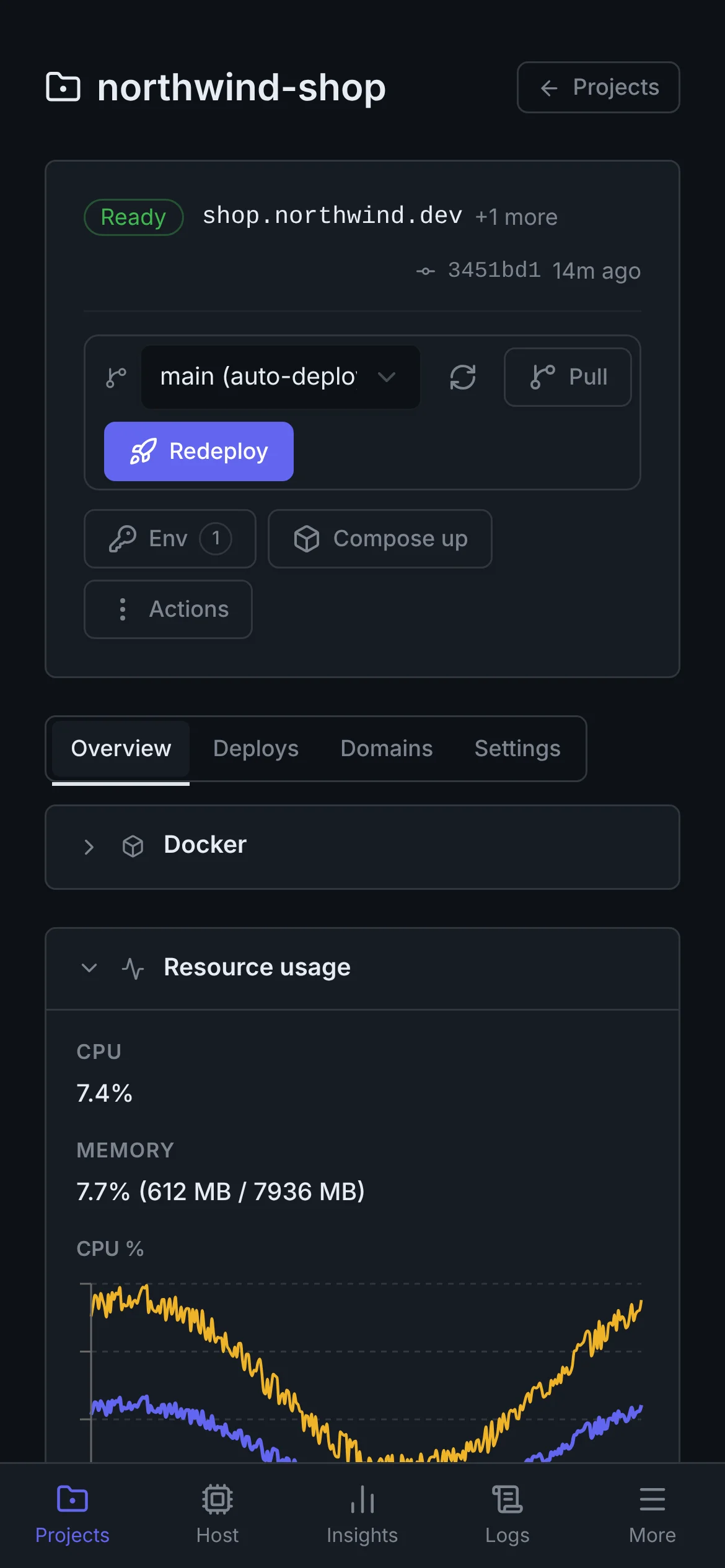
Stackport project page on a phone
Built on tools you already know
Docker Compose GitHub Nginx Let's Encrypt
WHO IT'S FOR

One VPS. Many apps.
Deliberately in scope.

Designed for developers running multiple applications on their own VPS who want application lifecycle management beyond a hosting provider's dashboard.

Stackport is forStackport is not trying to be
Developers and small teams A hyperscale cloud provider
One VPS with multiple applications A multi-node orchestration platform
Compose-based deployment A Kubernetes replacement
Centralized application operations A full infrastructure provisioning system
Self-hosted services and projects A managed high-availability platform
THE PRODUCT

A real dashboard for
the server you already pay for.

Screenshots of the real Stackport interface, with fictional projects and metrics for demonstration.

Every app on the server, one list.

See which commit each project runs, whether it is healthy, and where it is routed. Search by name, repository, or domain.

  • Ready, down, or paused at a glance
  • Deployed commit, author, and age
  • Groups and favorites for bigger fleets
deploy.northwind.dev
Stackport Projects screen
PUSH TO DEPLOY

git push, and it's live.

Connect a repository once. A GitHub webhook, or a poller when webhooks can't reach you, deploys new commits on your branch. Every deploy is pinned to an exact SHA.

  • Webhook by default, polling as a fallback
  • Preview the commits before you deploy or roll back
  • Build progress streams into the page
Stackport project header with the branch picker and Redeploy button
DOMAINS AND HTTPS

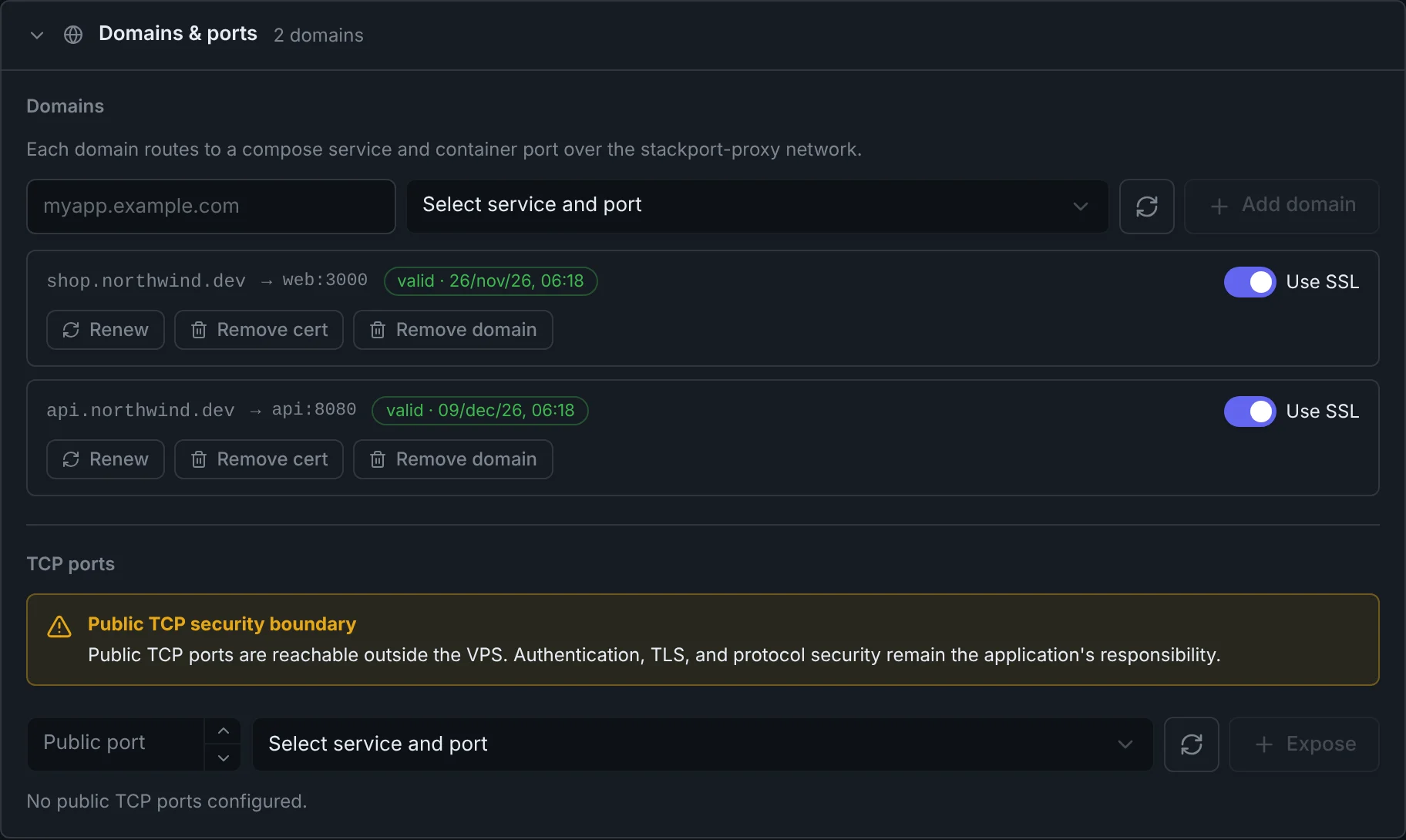
Domains route themselves.

Map a domain to a Compose service and port. Stackport writes the Nginx config, issues the Let's Encrypt certificate, and renews it before it expires.

  • Several domains per project
  • Certificate status and expiry in view
  • Public TCP ports when you need them
Stackport domains panel listing routed domains with valid certificates
OBSERVE

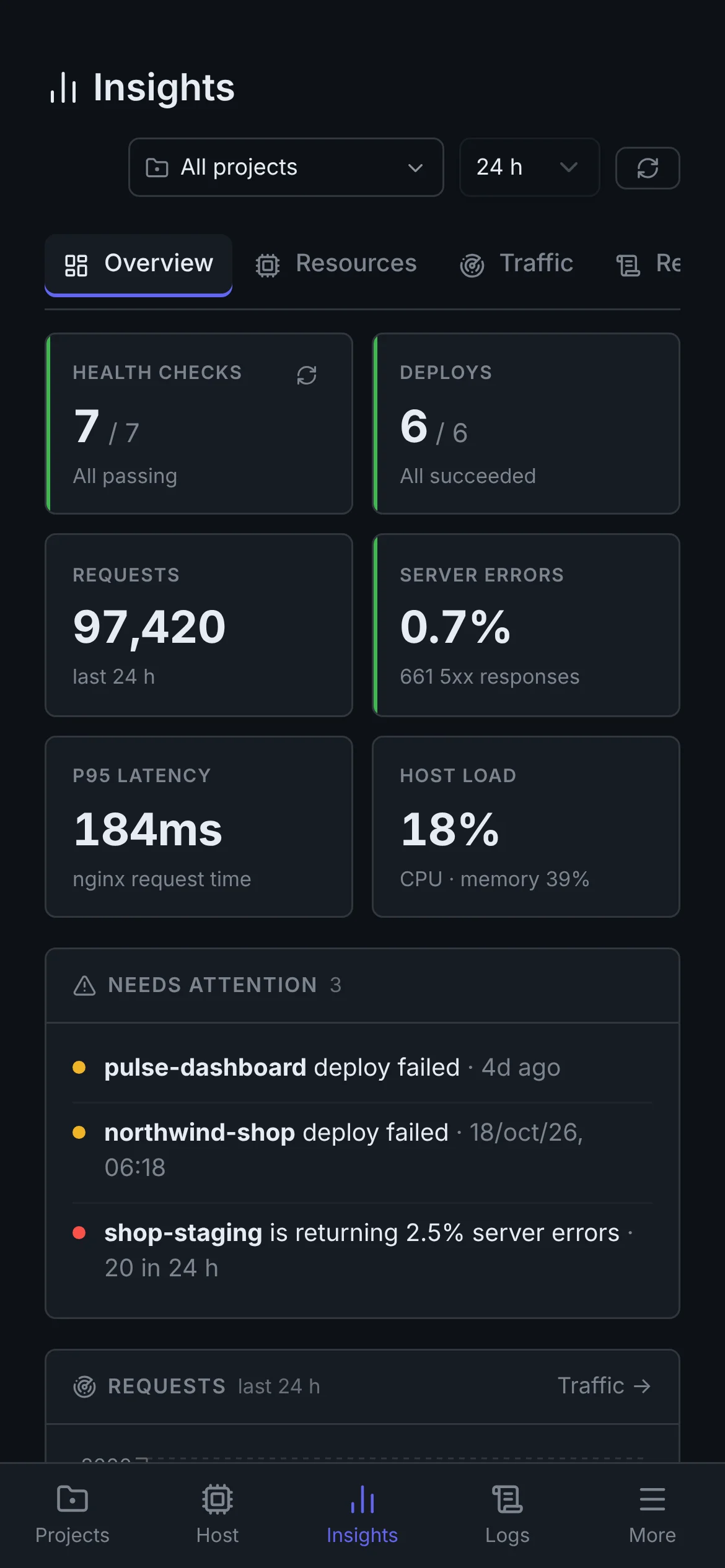
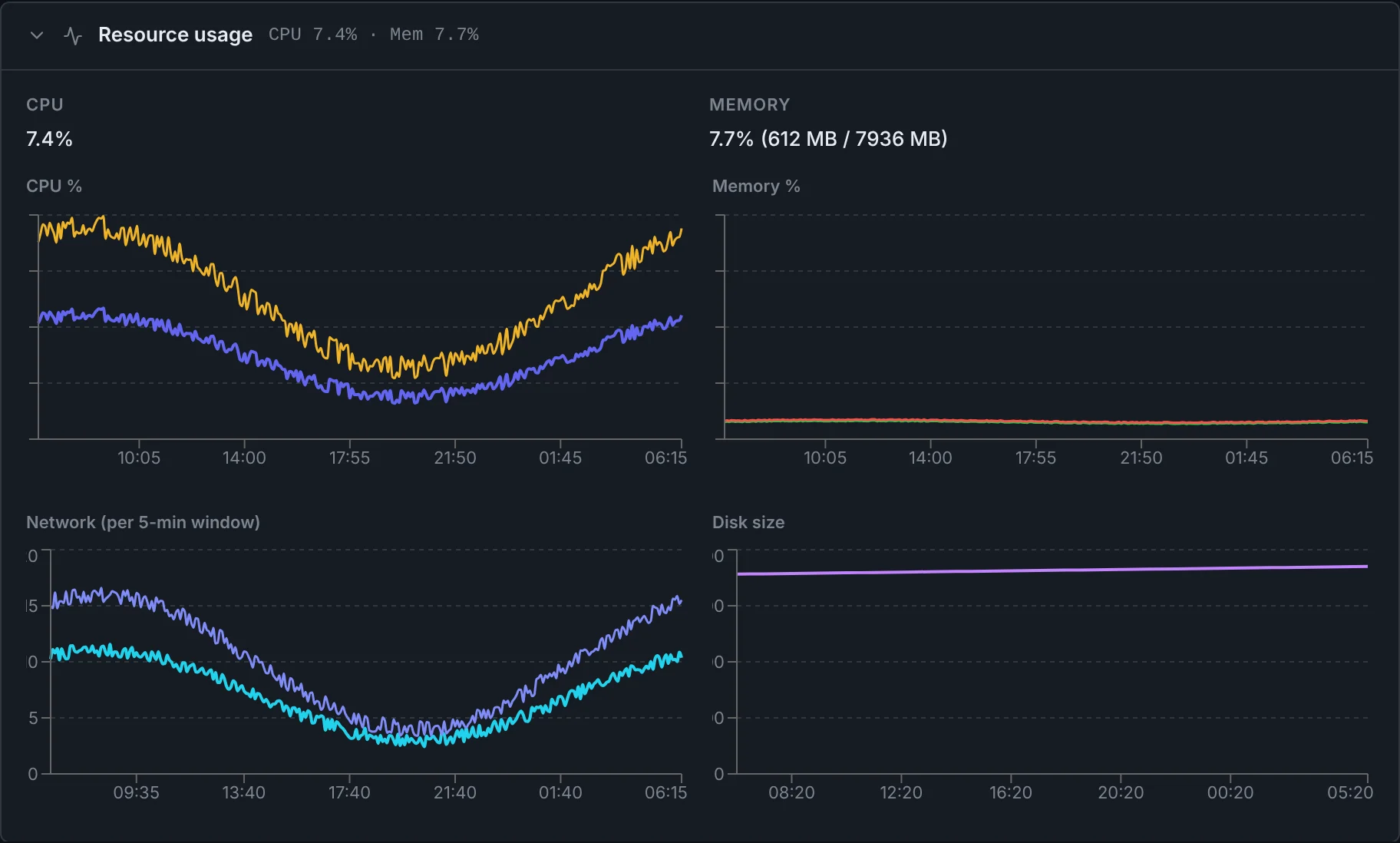
Follow service health and resource usage.

Health checks run on a schedule and gate your deploys, resource usage is sampled per project, and Nginx traffic is broken down by domain. Get an email when a health check fails.

  • Health checks with response time
  • CPU, memory, network, and disk per project
  • Email alerts when a health check fails
Stackport resource usage charts for one project
AND THE REST

The busywork, handled.

Deployment rollback

Redeploy an earlier recorded commit and resolved Compose configuration. With health checks configured, a failed deployment can trigger automatic rollback when enabled. This does not restore application databases or undo data migrations; those need their own backup and recovery plan.

Env files and secrets

Edit .env files per project in the dashboard instead of over SSH.

Logs and shell

Stream container logs or open a shell in a container from the browser.

Deployment policy checks

Compose checks reject host-port publication, privileged containers and blocked host-path mounts, with instructions for fixing violations. These checks are not a security boundary for untrusted workloads.

Careful with destructive actions

Irreversible actions ask you to type the project name first, and Compose variables you forgot to set are flagged before you deploy.

Preview before you ship

See which commits a deploy or rollback will add or remove before you run it.

Read-only MCP for AI tools

Give an AI tool a revocable, expiring token to read project status and deploy history. The MCP responses omit credentials, env-file contents and logs.

Notifications

Email when a health check fails or an automatic deploy is blocked.

Installable app

Stackport is a PWA with a phone layout, so checking on a deploy doesn't need a laptop.

ON YOUR PHONE

Redeploy from
the couch.

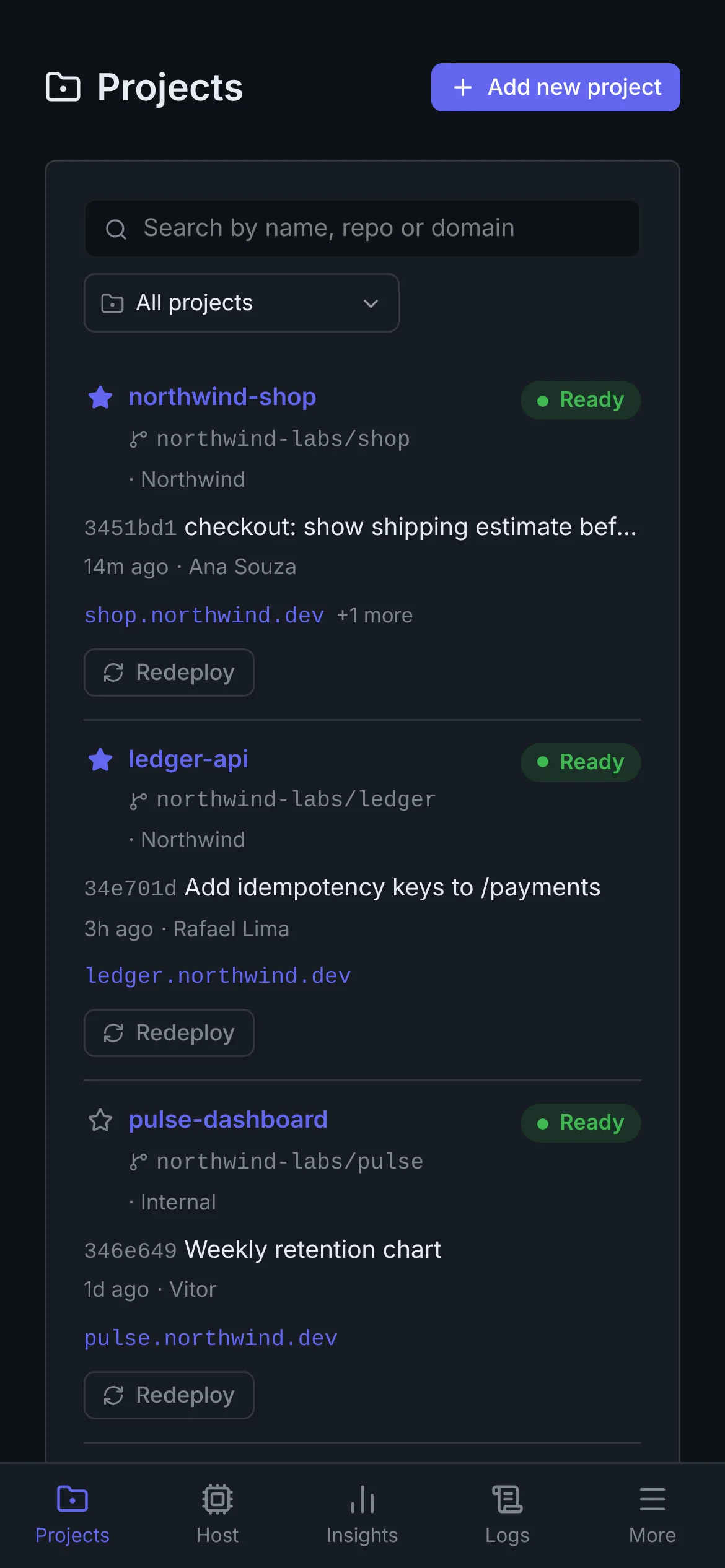
Stackport installs as an app on your phone. Check what's down, read the logs, and push a redeploy without opening a laptop or an SSH client.

Stackport projects list on a phone
Stackport project page on a phone
Stackport insights on a phone
WHY STACKPORT

Already paying for the VPS?
Stop paying with your evenings.

One VPS can host far more than one project. Stackport makes that practical by taking the deploy and reverse-proxy chores out of your terminal.

THE MANUAL LOOP

SSH into the server

Pull and rebuild containers

Edit and validate Nginx config

Issue or renew certificates

Hunt through logs when it breaks

WITH STACKPORT

Connect the repository once

Choose the branch, service, and domain

Deploy and operate from the dashboard

Let Stackport handle routing and TLS

See health, traffic, and logs together

NO LOCK-IN

No magic. Just a cleaner control plane.

Each app stays its own Compose project, in your repository. Stackport connects routed services to its proxy network and handles public ingress through Nginx, rather than project-level host-port publication.

  • Plain HTTP inside the container
  • TLS terminates at Stackport's Nginx
  • Persistent state stays on your server
GitHubyour repository
pull + build
STACKPORTcontrol plane
Web API Worker
NGINX + LET'S ENCRYPT
INSTALL STACKPORT

Your own deployment platform,
three commands away.

Point your admin domain to a fresh Ubuntu or Debian VPS and allow SSH, HTTP, and HTTPS. Then connect to the server and run the installer.

01SSH into your VPSRun this from your computer. Replace the address with your server’s IP or hostname.
your-computer: ~
1$ ssh root@YOUR_SERVER_IP
02Download and run StackportOnce connected, run these commands on the VPS.
root@your-vps: ~
1$ curl -fsSL https://raw.githubusercontent.com/vtmattedi/Stackport/main/stackport.sh -o stackport.sh
2$ chmod +x stackport.sh
3$ sudo ./stackport.sh install
Installer readyUbuntu / Debian · Docker Compose
03Finish setup in your browserOpen the configured domain, enter the one-time credential printed by the installer, and create your administrator account.
01

Prerequisites includedDocker and missing system tools are installed automatically.

02

Secrets generated safelyBootstrap and application secrets are created during install.

03

HTTPS verifiedThe installer waits for admin HTTPS before reporting success.

VPS COMMAND REFERENCE

Host maintenance, when you need it.

Full operations guide

Most project work happens in the dashboard. Keep these commands for Stackport itself.

stackport status

Inspect version, containers, certificates, network, and firewall.

sudo stackport update

Update Stackport with a database backup, health check, and automatic rollback.

sudo stackport rollback

Return Stackport itself to its previous release. Application data recovery is separate.

sudo stackport repair

Reconcile its network, Nginx scaffold, permissions, and unhealthy containers.

sudo stackport admin-recovery

Generate a one-time credential if you are locked out of the dashboard.

SHIP ON YOUR OWN TERMS

Own the server.
Enjoy the deploy.

Stackport brings deployment, routing and service monitoring together for small teams running applications on infrastructure they control.